Crawler analytics
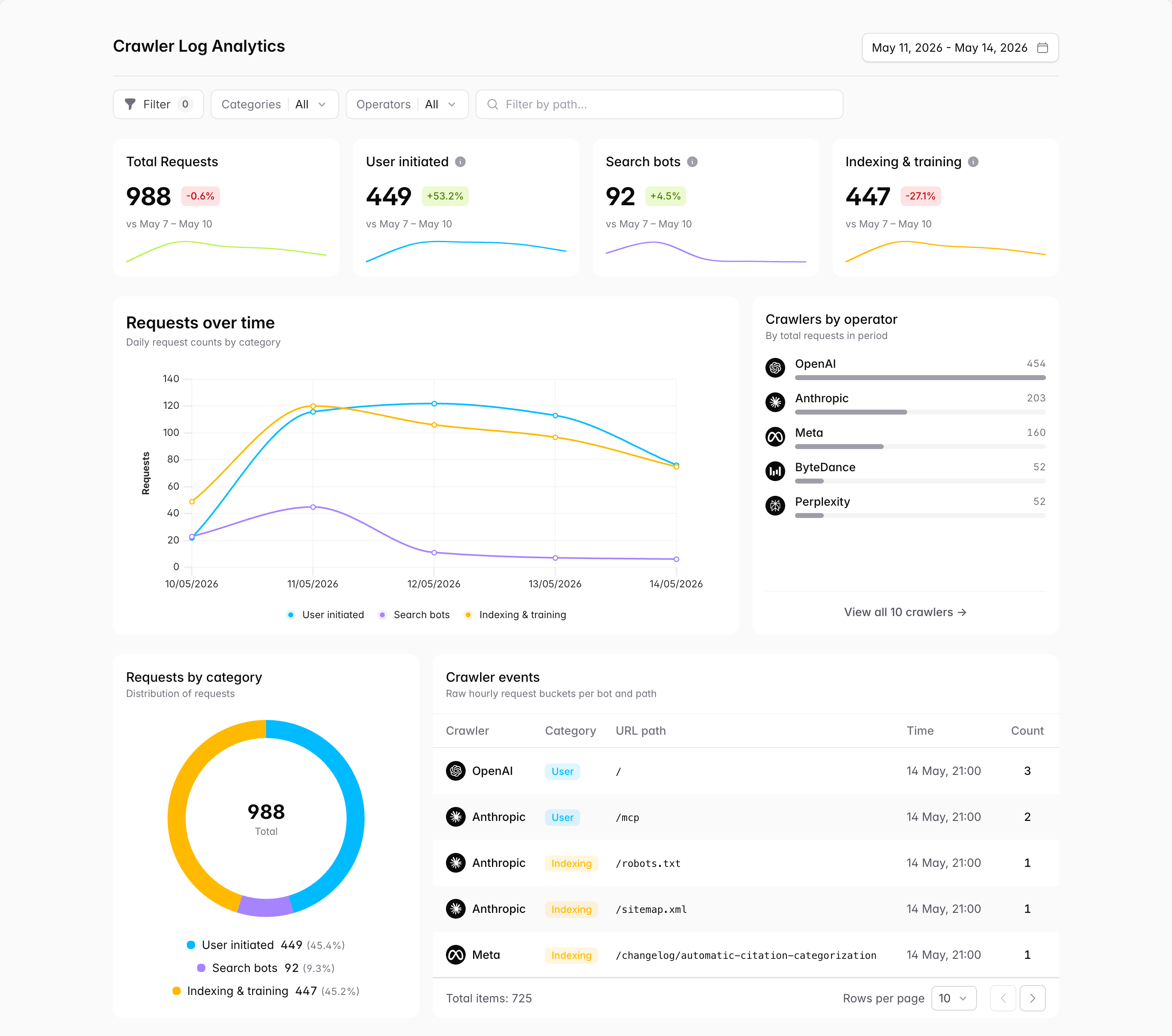
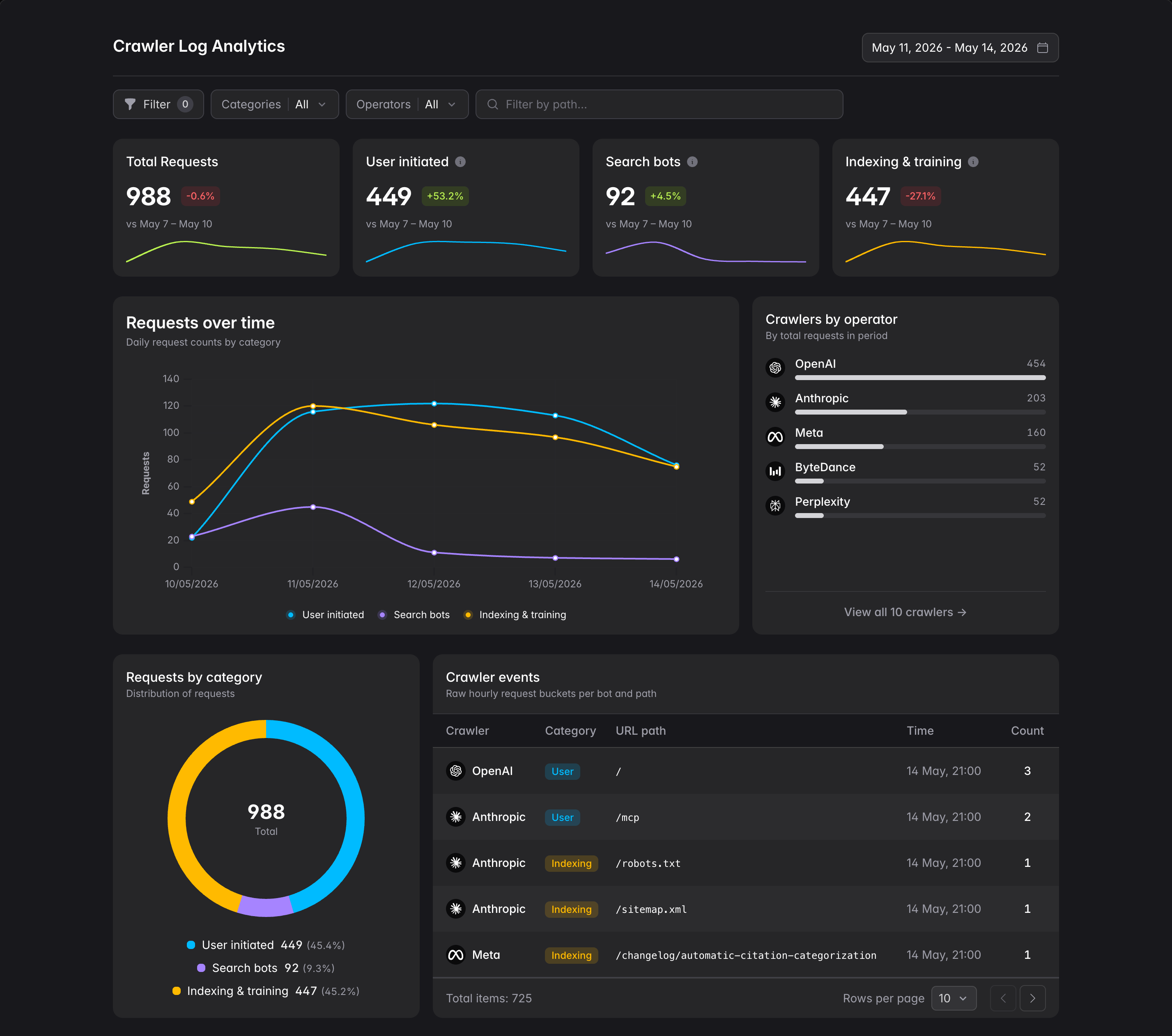
Crawler analytics shows you which AI bots visit your site, how often, and which pages they pull. The data comes from your infrastructure provider and refreshes hourly.
Crawler analytics is real traffic, and that sets it apart from the prompts you monitor in Bourd. A monitored prompt is a question you have asked Bourd to check for you. You learn exactly how often you get mentioned in the answer, but not whether real people are asking that question at all.
A crawler hit is the other way around. When someone asks an AI something and it reads a page on your site, that visit gets logged. It is a real person asking a real question right now. You can see it happened, but not what they asked.
Monitored prompts tell you how you do on the questions you picked. Crawler analytics tells you people are actually out there asking.
Data sources
Section titled “Data sources”Crawler analytics needs a data source: an infrastructure provider that already sees the bot traffic hitting your site. Cloudflare is the first supported source. If your site runs behind Cloudflare, you can connect it now. More providers are planned.
Connecting Cloudflare
Section titled “Connecting Cloudflare”Requirements
Section titled “Requirements”You need a Cloudflare account with at least one zone (your domain). Cloudflare’s AI Crawl Control surfaces the underlying data on all paid plans (Pro, Business, Enterprise). Free plan retention is too short for this integration.
Create a Cloudflare API token
Section titled “Create a Cloudflare API token”Bourd reads your crawler data through a scoped Cloudflare API token. Create one before you start the connection in Bourd.
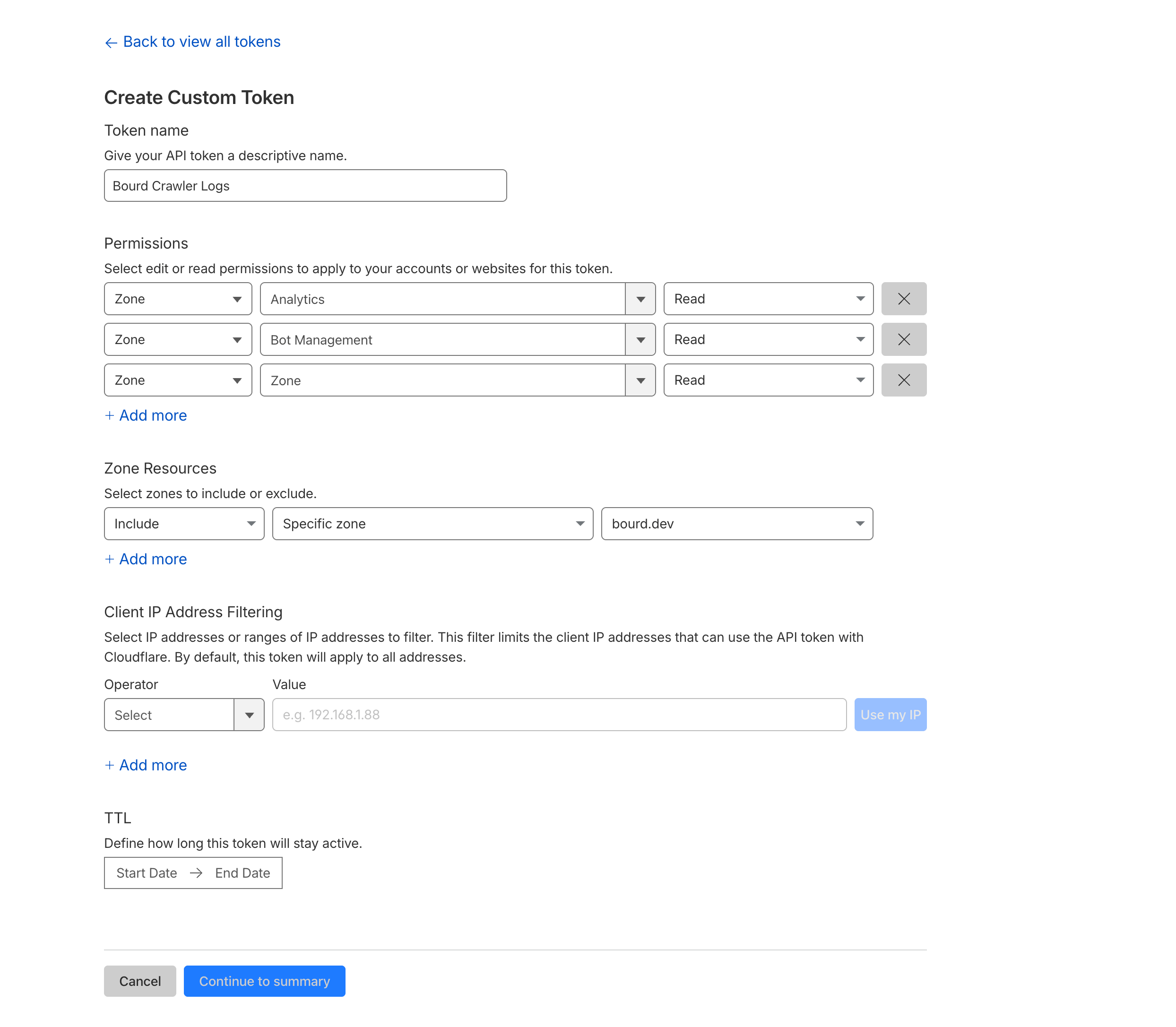
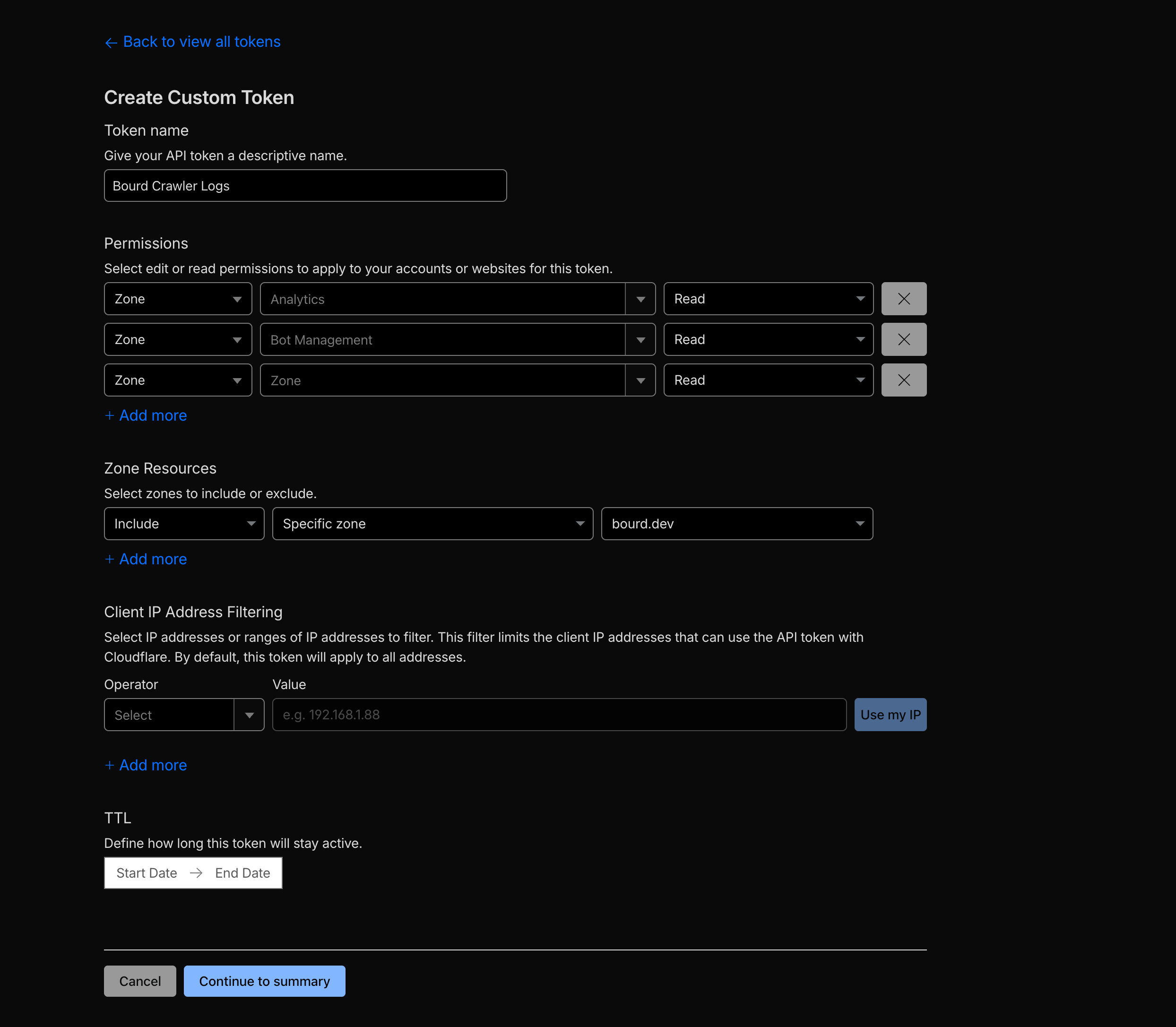
- Open Cloudflare’s API Tokens page.
- Click Create Token, then Create Custom Token (“Get started”).
- Name the token something you will recognize later, such as
Bourd crawler analytics. - Under Permissions, add these three rows:
Zone→Analytics→ReadZone→Bot Management→ReadZone→Zone→Read
- Under Zone Resources, set
Include→Specific zone→ your domain. - Click Continue to summary, then Create Token.
- Copy the token. Cloudflare shows it only once.
Connect Cloudflare to Bourd
Section titled “Connect Cloudflare to Bourd”- In Bourd, open the workspace you want to attach the integration to.
- Navigate to Crawler Analytics and click Connect Cloudflare.
- Paste the API token you just created. Confirm the hostname (Bourd pre-fills it from your tracked domain).
- Click Connect.
Bourd verifies the token against your hostname. If it matches, your first sync starts within the hour.
What gets synced
Section titled “What gets synced”- All AI bot requests from the last 7 days, on the first sync.
- Hourly thereafter.
- Only requests from known AI crawlers are kept. The full list is in the next section.
What does not get synced
Section titled “What does not get synced”- Traffic older than 7 days.
- Generic search bots (Googlebot, Bingbot) and non-AI scrapers.
- Real human traffic.
Interpreting the data
Section titled “Interpreting the data”The dashboard groups crawler hits by bot, and the bots fall into three categories. Together they trace the path your content takes through an AI system, from bulk crawl to live answer. The category matters more than the raw count: the same number of requests means something different depending on which kind of bot produced it.
Bulk crawlers
Section titled “Bulk crawlers”These crawl your site in bulk, not in response to any specific question. For most, the goal is training data for the next model generation. Google-CloudVertexBot is the exception: it fetches pages for customers building their own AI apps on Google Cloud. Not all of them honor robots.txt.
| Bot | Provider |
|---|---|
gptbot | OpenAI |
claudebot | Anthropic |
google-cloudvertexbot | Google (Vertex AI) |
bytespider | ByteDance |
ccbot | Common Crawl |
meta-externalagent | Meta |
facebookbot | Meta |
amazonbot | Amazon |
Provider docs: OpenAI, Anthropic, Google, Common Crawl, Meta, Amazon. ByteDance publishes no crawler documentation.
High traffic here: your content is being crawled at scale. For most of these bots, that means it is being absorbed into training data, and the payoff lands months later when the next model ships.
Zero traffic here: either you have blocked these crawlers (and they are honoring it), or they have not crawled your content yet.
Search index crawlers
Section titled “Search index crawlers”These crawl to populate the search index AI assistants query at runtime. They sit between the training corpus and the user-facing answer.
| Bot | Provider |
|---|---|
oai-searchbot | OpenAI |
claude-searchbot | Anthropic |
perplexitybot | Perplexity |
applebot | Apple |
Provider docs: OpenAI, Anthropic, Perplexity, Apple.
High traffic here: you are in the index AI assistants reach for when they need current information. This is your retrieval-layer visibility.
Zero traffic here: AI assistants will not find your content when they search. Anything time-sensitive (recent posts, product changes, news) is invisible at runtime.
User-triggered fetches
Section titled “User-triggered fetches”These fire when someone using an AI assistant clicks a link in an answer, or asks it to read a specific URL. Real human, real conversation, in real time.
| Bot | Provider |
|---|---|
chatgpt-user | OpenAI |
claude-user | Anthropic |
perplexity-user | Perplexity |
meta-externalfetcher | Meta |
duckassistbot | DuckDuckGo |
mistralai-user | Mistral |
Provider docs: OpenAI, Anthropic, Perplexity, Meta, DuckDuckGo, Mistral.
High traffic here: your pages are being surfaced in AI answers right now and users are clicking through. It is the closest thing to direct attribution that AI visibility produces, though you see the visit, not the prompt that drove it.
Zero traffic here: AI assistants are not surfacing your URLs to users, even if your brand is being mentioned.
Reading the gap between categories
Section titled “Reading the gap between categories”Each category tells you something on its own. The gaps between them tell you more.
Lots of bulk-crawler traffic, little else. Bulk crawlers are fetching your content, but search index crawlers and user-triggered fetches are quiet. The crawlers can reach you. Your content isn’t making it into the search index or live answers yet.
User-triggered fetches, little bulk-crawler traffic. Real people are landing on your pages from AI answers right now, but the bulk crawlers haven’t picked you up yet. This is common for fresh content: you can appear in live answers before you are in the training data. Watch the bulk-crawler signal follow over the next few weeks.
Strong activity across all three. This is the goal. Bulk crawling, search indexing, and live visits are all working.
Compare these patterns against your citation data in Bourd: which sources get cited, which get crawled, and where the gap is.
Permissions
Section titled “Permissions”Crawler analytics is governed by three workspace permissions:
- Viewing the data needs
reports.read. All three default roles (Admin, Member, and Guest) have it, so anyone in the workspace can read crawler analytics. - Connecting an integration needs
integrations.create. Admins and Members have it; Guests do not. - Disconnecting an integration needs
integrations.delete. Only Admins have it. Letting a Member remove an integration an Admin set up would silently stop crawler data for the whole workspace.
Token security
Section titled “Token security”Your Cloudflare API token is a sensitive credential. Here is how Bourd stores and protects it.
- Encrypted with AWS KMS. The token is encrypted before it reaches the database, using AWS Key Management Service. It is never stored in plaintext.
- Bound to your workspace. The encryption is tied to the specific workspace and integration the token belongs to. The stored ciphertext cannot be decrypted in any other context, even if it were copied elsewhere.
- Never returned. Once you save the token, the API never sends it back. Bourd keeps only the last four characters, so you can identify the token in the UI without exposing it.
- Used server-side only. The token is decrypted in memory, on Bourd’s servers, only when the background sync job polls Cloudflare. It is never exposed to your browser or in API responses.
- Deleted on disconnect. Disconnecting the integration permanently deletes the credential. Bourd does not retain disconnected tokens.
Troubleshooting
Section titled “Troubleshooting”No data after the first few hours. Open the integration row and check for a banner. If there is no banner, the sync is working and found nothing: the usual cause is no AI bot traffic to that zone inside the 7-day window yet. If there is a banner, read on.
Banners that end with “Will retry on the next sync.” Transient problems: a Cloudflare rate limit, a server error, a network blip. Bourd retries automatically every hour. No action needed unless one persists past a day. Then email support@bourd.dev.
Banners that ask you to reconnect or upgrade. These need you to act, and Bourd stops syncing the integration until you do:
- “Cloudflare token rejected…” The token was revoked or is missing a required scope. Create a fresh token (see Create a Cloudflare API token) and reconnect.
- “Cloudflare zone is no longer accessible…” The zone was deleted, or moved out of the token’s reach. Reconnect with a token that can see the zone.
- “Cloudflare plan does not allow access…” The zone is on a plan tier without the analytics Bourd needs. This takes a Cloudflare plan change.
- “Stored Cloudflare token could not be decrypted.” Rare. Reconnect the integration to store the token again.
A specific bot is missing. Bourd recognizes a fixed list of known AI bots. If you see a crawler in your Cloudflare dashboard that does not appear in Bourd, email support@bourd.dev with the user-agent string and we will add it.
Next steps
Section titled “Next steps”- Analyze citations to see which sources AI models recommend, and compare against which sources they crawl.
- Set up your brand and competitors if you have not already, so you can correlate crawler activity with mentions in answers.